
How to Optimize Google My Business Profile (Complete Guide 2026)
Optimizing your Google My Business profile (GMB) page may be a basic step for any nearby business that needs to stand out in search results. With an expanding number of individuals utilizing Google to look at neighbourhood businesses, having a well-optimized profile might create the contrast between getting noticed and being ignored. In this post, we’ll see viable ways to extend your Google My business posting and neighbourhood look rankings.
What is Google My Business Profile?
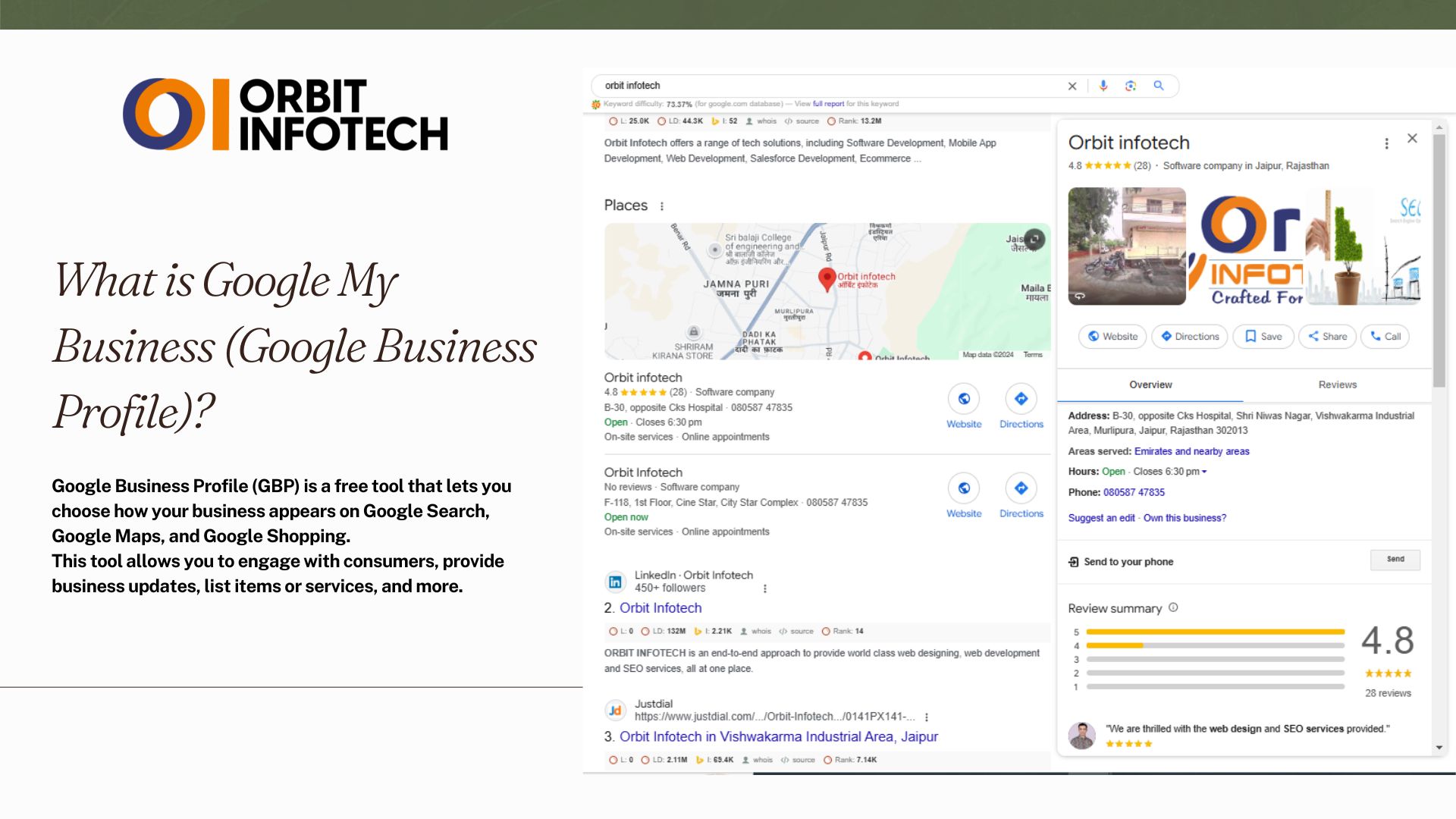
Google Business Profile (GBP) is a free tool that allows you to manage how your business appears across Google Search, Google Maps, and Google Shopping. It enables you to engage with customers, post updates, list products or services, and build an online reputation.
Why Google My Business Optimization is Important
Optimizing your GMB profile is crucial because:
- Improves local search rankings
- Increases visibility on Google Maps
- Builds trust with reviews and ratings
- Drives more traffic and leads
- Helps customers find accurate business information
Local searches have high intent, and optimized profiles perform better in attracting customers nearby.
Step-by-Step Guide to Optimize Google My Business Profile
1. Claim your Business Profile

Claiming your Google My Business profile is the primary step in improving your nearby presence. After you claim your business, you secure control over basic data such as your address, phone number, and business hours. This ensures that potential clients see exact and current data when they look. It also makes Google trust your company more, which might result in higher ranks. When you own your profile, you may react to reviews, provide updates, and upload photographs that highlight your services. Essentially, it’s your chance to control your online reputation and make a good first impression.
Also Read This Article:- How To Start a Clothing Business in 2024
2. Complete Your Business Information (NAP)
nsure your Name, Address, and Phone Number (NAP) are accurate and consistent across all platforms. Incorrect details can harm your local SEO performance.
Include:
- Business name (no keyword stuffing)
- Address with correct location
- Local phone number
- Website URL
Select primary and secondary categories
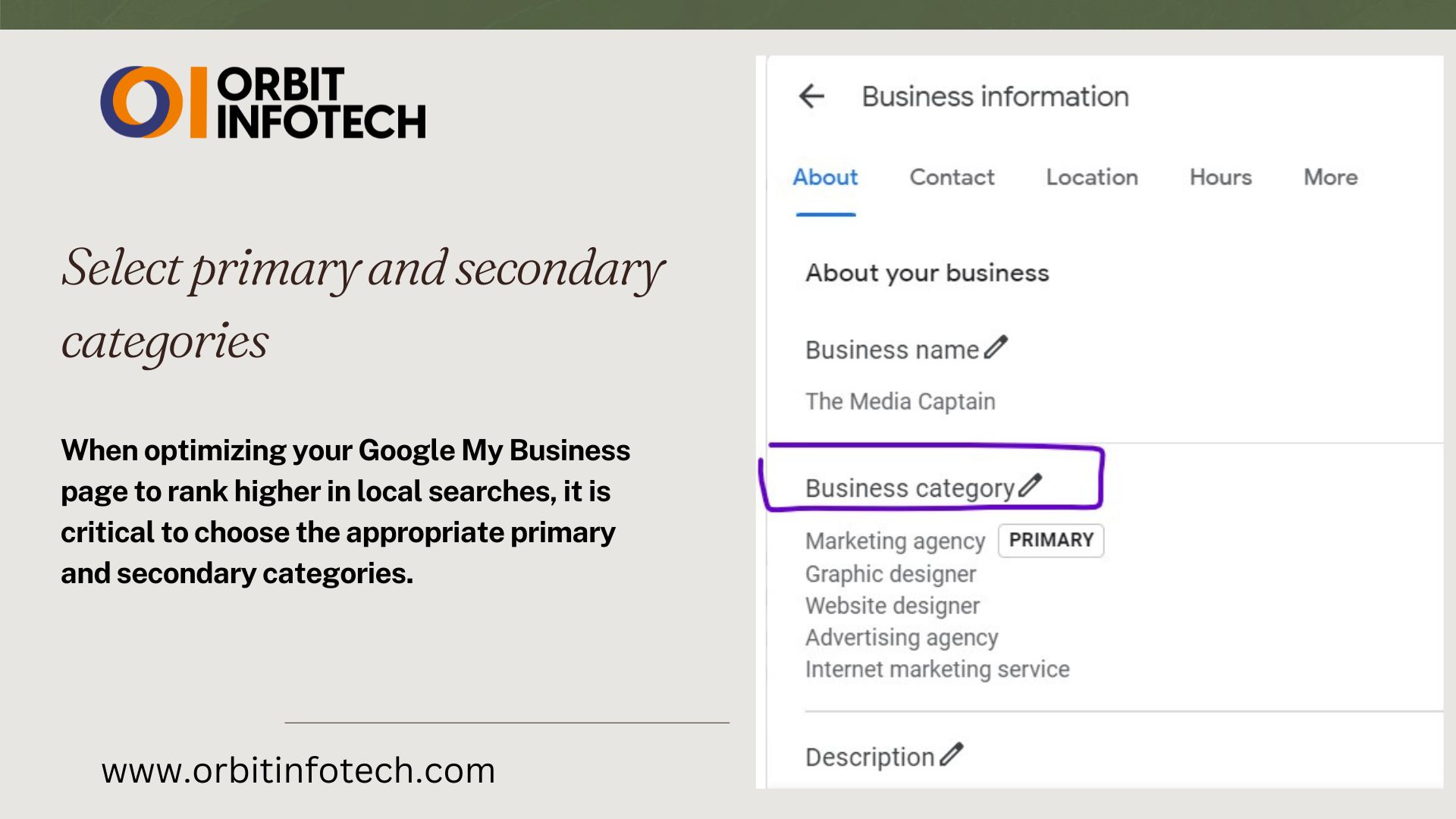
When optimizing your Google My Business page to rank higher in local searches, it is critical to choose the appropriate primary and secondary categories. For a grocery store, selecting “Grocery Store” as your major category guarantees that your business is quickly found by consumers looking for groceries. Adding secondary categories such as “convenience store” or “supermarket” can help to cover similar search queries. Similarly, restaurants can choose “restaurant” as the primary category, with “takeout” or “delivery” as alternative options. Here, fine-tuning your categories improves visibility, allowing more relevant clients to easily find your business.
Mark off applicable attributes
It is critical to focus on what prospective clients are looking for. Check out this attribute list to mark off the attributes that best represent your company, ranging from operation hours to specific services provided. These facts help to establish trust with potential customers and make your profile stand out. Attributes like “women-led,” “wheelchair accessible,” and “free Wi-Fi” can be important. Don’t miss these elements; they can make a significant impact in drawing local traffic and enhancing visibility to people looking for your services.
Write a complete “from the business” description
In today’s digital age, optimizing your Google My Business profile is essential for boosting your local search ranking and ensuring your business stands out. Our mission is to help you succeed by providing actionable strategies to improve visibility. From updating essential information to leveraging reviews and insights, this guide covers everything you need. Ranking higher means more local customers finding you, and we aim to empower businesses to reach their fullest potential.
Publish Google posts weekly
Publishing Google articles every week is vital for improving your Google My Business profile and ranking higher in local searches. These posts allow you to interact with your target audience, communicate updates, and promote special deals. Posting regularly keeps your company front of mind for potential clients and signals to Google that it is active. Use keywords and relevant content in your posts to increase visibility. Consistency is essential—by writing weekly, you establish a consistent flow of material that helps improve your local SEO score, resulting in increased visitors to your business over time.
Upload new photos weekly
According to a BrightLocal study, businesses that use high-quality photographs draw more attention and successfully represent your brand. Follow Google’s photo guidelines to make your graphics appealing. To provide potential consumers with an immersive view of your business, consider including films and 360º photos. Regular updates not only increase your visibility but also foster trust with your audience, resulting in higher positions in local searches. Keep your material fresh and inviting!
Answer questions
To effectively optimize your Google My Business (GMB) page and improve local search rankings, prioritize accuracy and interaction. Begin by verifying that your company’s name, address, and phone number (NAP) are identical across all platforms. Use high-quality photos to showcase your services and create a welcoming environment. Create a captivating business description that naturally incorporates essential keywords while highlighting what distinguishes your firm. Encourage satisfied customers to submit positive reviews and respond quickly to all feedback.
Collect and respond to reviews
Engaging with client feedback not only demonstrates that you care about their opinions but also stand out from competitors. Encourage satisfied consumers to use the review shortcut link to swiftly offer their feedback. When you ask clients to leave a review, you increase your chances of receiving positive feedback. Remember, actively responding to reviews boosts your local SEO and online reputation. Learn how to increase your business’s performance and visibility by getting more Google reviews.
Add your products and/or services
Adding your products and services is critical for optimizing your Google My Business (GMB) page. Begin by explicitly outlining each product or service, stressing the unique features and benefits that differentiate you from competitors. Use compelling descriptions that speak to your target audience, emphasizing how your services solve issues or improve their lives. Use high-quality photos to graphically represent your products.
Set up messaging
Setting up a message for your Google My Business profile is critical to achieving local search success. Crafting clear and compelling communications allows potential customers to engage with your business. Begin by supplying critical information, such as your hours of operation and contact information. Use appealing language to elicit questions. Incorporate keywords organically, ensuring that they resonate with your audience. Regularly update your messaging to reflect specials or changes in service.
Maintain your Business Profile
To effectively manage your Google My Business profile, you must consider it a potent local marketing tool. Regular updates and correct information increase your online presence, making it easier for potential consumers to locate you. Engage your audience by reacting to reviews and providing frequent updates about your services. Include high-quality photos that highlight your company and invite satisfied consumers to provide feedback.
Frequently Asked Questions About Google My Business Profile
Q1. What is Google My Business, and why is it important?
Ans: Google My Business (GMB) is a free tool for businesses to manage their online presence across Google, including Search and Maps. It’s essential because a well-optimized GMB profile can help improve local search visibility, attract more customers, and increase trust with local audiences.
Q2. How can I optimize my Google My Business profile?
Ans: To optimize your GMB profile, ensure all information is accurate, complete, and regularly updated. Add high-quality photos, respond to customer reviews, select relevant business categories, and use keywords in your business description to boost visibility in local searches.
Q3. What information should be included in my Google My Business listing?
Ans: Your GMB listing should include accurate contact information (name, address, phone number), business hours, categories, a well-written description, photos, and a website link. Providing these details helps potential customers find your business more easily.
Q4. How do Google My Business reviews impact my local ranking?
Ans: Reviews play a significant role in local SEO. Positive reviews, especially with relevant keywords, can improve your visibility in local search results and build customer trust. Regularly responding to reviews shows active engagement and helps your business stand out.
Q5. How often should I update my Google My Business profile?
Ans: Updating your GMB profile regularly with new photos, posts, and changes in business hours (especially during holidays or special events) keeps your listing relevant and appealing. Frequent updates can improve your profile’s ranking potential in local searches.
Q6. Is Google My Business free?
Ans: Yes, Google Business Profile is completely free to use.
Q7. What is the most important ranking factor?
Ans: Accurate information, correct category, reviews, and profile activity are key factors.
Q8. How often should I update my GMB profile?
Ans: Update your profile weekly with posts, photos, and business changes.
Q9. Can GMB help small businesses?
Ans: Yes, it is one of the best tools for local businesses to attract nearby customers.
Recent Comments